What Is the Best Recurring Workflow Software for Small Businesses?
Your recurring workflows break the moment someone forgets a step. If onboarding checklists, compliance reviews, and monthly reports live in scattered docs and inbox reminders, missed tasks pile up and no one can prove what was done. That is usually why teams start comparing tools in the first place.
This article lays out the features, pricing, and scalability factors that actually matter for a small business, then ranks six platforms against them. You will get a clear breakdown of each option, including Process Street, and concrete guidance on matching a tool to your team size and budget so you can pick a winner with confidence.
What to Look For in Recurring Workflow Software for Small Businesses
Small businesses evaluating recurring workflow software must prioritize features that reduce manual effort while accommodating growth, such as automation triggers, conditional logic, and task dependencies. The right tool should handle repetitive processes without constant oversight, freeing your team to focus on higher-value work.
A task management platform built for small business automation needs to strike a balance between simplicity and power. Tools that are too basic force workarounds as you grow. Tools that are too complex slow down adoption and frustrate employees who just want to get work done.
Three broad criteria matter most during evaluation: key features, pricing structure, and scalability. Each plays a distinct role in whether a tool remains useful six months or three years from now.
Key features include automation triggers, conditional logic, task dependencies, and approval workflows. These determine how much of your process the software can actually run on its own.
Pricing models vary widely across SaaS workflow tools. Some charge flat subscription rates, others bill per user, and some layer on fees for storage, integrations, or premium support. Understanding the full cost picture before committing prevents surprises later.
Scalability covers user permissions, role-based access, API connectivity, and data storage limits. A cloud-based software option typically scales more smoothly than one requiring on-premise infrastructure. Small businesses often outgrow their first workflow tool, so choosing something with room to expand saves migration headaches down the road.
Evaluating all three areas together gives you a realistic picture of total value, not just the sticker price or the flashiest feature list.
Key Features, Pricing, and Scalability Considerations
When comparing recurring workflow software, examine how each platform handles workflow templates, automation triggers, and conditional logic, as these directly impact setup time and long-term flexibility. A process automation tool with strong template libraries lets you launch recurring tasks quickly instead of building every workflow from scratch.
Automation triggers generally fall into two categories: event-based and schedule-based. Event-based triggers fire when something happens, such as a form submission or a status change. Schedule-based triggers run at set intervals, like every Monday or the first of the month. The best tools support both, since most small businesses need a mix.
Conditional logic determines how a workflow branches based on inputs. For example, if an invoice exceeds a certain amount, the workflow routes to a manager for review. Without conditional logic, every task follows the same path regardless of context, which limits real-world usefulness.
Task dependencies ensure steps happen in the correct sequence. A notification system tied to dependencies alerts the right person when their part is ready. Approval workflows add formal sign-offs for decisions that need oversight, such as budget requests or client deliverables.
Pricing structures deserve close attention. Common models include:
- Flat subscription pricing with tiered feature access
- Per-user costs that rise as your team grows
- Usage-based fees tied to automation runs or storage
- Add-on charges for integrations, premium support, or advanced reporting
Watch for hidden fees. Some vendors charge extra for API access, additional storage, or onboarding support that seems included until you read the fine print.
Scalability hinges on several factors. User permissions and role-based access let you control who sees and edits what. API connectivity determines how well the tool talks to your CRM, calendar, or email systems. Audit trails and version history matter for compliance and troubleshooting. A platform that caps users or storage at a low tier will force an upgrade or migration sooner than expected.
| Evaluation Area | What to Check |
|---|---|
| Automation triggers | Event-based and schedule-based support |
| Conditional logic | Branching based on form inputs or status |
| Task dependencies | Sequential step enforcement |
| Approval workflows | Sign-off steps with notifications |
| Pricing model | Subscription, per-user, or usage-based |
| Hidden fees | API access, storage overages, support costs |
| User permissions | Role-based access controls |
| API connectivity | Integrations with CRM, calendar, email |
| Audit trails | Version history and change logs |
Use this checklist as a starting framework. Not every small business needs every feature on day one, but knowing what to look for helps you ask better questions during demos and trials. A no-code automation or low-code platform often suits small teams best, since it reduces reliance on developers and speeds up deployment.
Ultimately, the right choice depends on your specific processes, team size, and growth plans. Prioritize tools that match your current needs while leaving room to scale.
1. Process Street - Best Overall
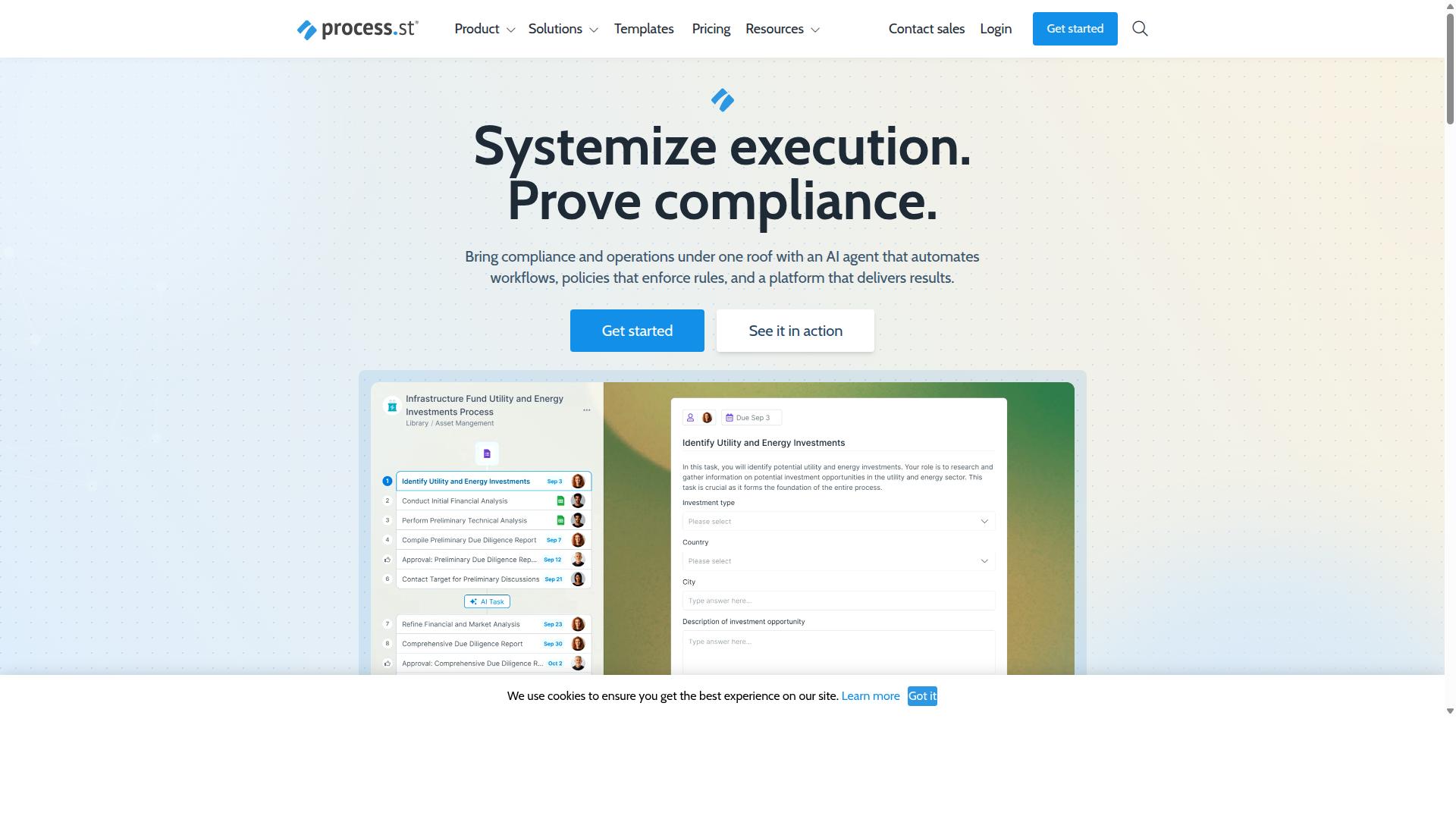
Process Street stands out as the best overall recurring workflow software for small businesses due to its robust automation capabilities, compliance features, and user-friendly interface. While many tools on this list handle tasks and projects well, Process Street is built around a different idea: turning the policies a business already has into workflows that run themselves.
The platform is best understood as a compliance operations platform. It automates business processes, enforces policies, and delivers audit-ready proof that the work was done correctly and on time. That combination matters for small teams that need consistency without hiring a dedicated operations manager.
Process Street is organized around three main products:
- Docs: document management and policy control with full governance for ISO 9001, SOC 2, SOX, FDA, and more.
- Ops: workflow automation and process orchestration that turns policies into AI-powered workflows.
- Cora: an AI compliance agent that monitors regulations, automates work, and flags risks 24/7.
Together, these cover the full loop of writing a process, running it repeatedly, and proving it was followed. The sections below break down the automation features, pricing, and compliance credentials in more detail.
Recurring Workflow Automation, Pricing, and Compliance Features
Process Street excels in recurring workflow automation with AI-powered workflows, robust compliance features, and transparent pricing tiers suitable for small businesses. Its core strength is converting a written policy into a workflow that runs on a schedule, assigns each step to the right person, and records what happened.
The platform supports workflow templates, automation triggers, conditional logic, task dependencies, approval workflows, and audit trails. These are the building blocks of reliable recurring work: a template defines the process once, triggers start it on a recurring basis, and conditional logic routes steps based on the answers or data involved.
Task dependencies keep steps in the correct order, while approval workflows ensure a manager signs off before work moves forward. Audit trails and version history then capture who completed each step and when, which is what makes the output audit-ready rather than just organized.
Broader platform features include Process AI, Automations, Analytics, Apps, and Integrations. Integrations cover Zapier, Microsoft Power Automate, Tray.io, Make, and Public API access, so recurring workflows can connect to the other systems a small business already uses.
Pricing is split into three plans:
| Plan | Key Limits |
|---|---|
| Startup | Unlimited workflows and tasks, up to 5,000 Data Set records, 5 users, 10 guests, 10 automation apps, 100 automation actions/month, Public API (50 calls/month) |
| Pro | Unlimited workflows and tasks, up to 10,000 Data Set records, custom users/guests, all automation apps, custom automation actions/month, custom API calls/month |
| Enterprise | Custom Data Set records, unlimited Public API access, dedicated Success Manager, priority support, fully-managed workflows, custom integrations, bulk document import, process consulting & health audit, personalized team training |
The Startup plan is described as a simplified Pro plan for startups, which makes it a practical entry point for a small team testing recurring workflow software for the first time. A 14-day free trial is available on the Pro plan with no credit card required.
On the compliance side, Process Street holds SOC 2 Type II and ISO 27001 certifications. Those credentials, combined with audit trails and governance features in Docs, make the platform a fit for small businesses in regulated fields that need provable process adherence.
Scalability runs from Startup through Enterprise, and data residency options are available for teams with location-specific requirements. For a small business, that means the same tool can support a five-person team today and a much larger operation later without switching platforms.
2. Flokzu
Flokzu is a cloud-based business process management platform that offers no-code automation and workflow templates for small to mid-sized teams. It sits in the BPM and workflow automation category, combining form building, task routing, and approval steps into a single environment.
The platform is built around simplified BPMN modeling, which lets business users map out a process visually instead of writing code. For small businesses moving away from email threads and spreadsheets, that visual approach can shorten the learning curve considerably.
Flokzu targets departmental and mid-market teams, along with SMBs and business users who need to formalize recurring work. Typical use cases include request intake, document approvals, and other sequential processes that repeat on a predictable schedule.
Users report that the no-code setup makes it approachable for non-technical staff. That ease of use is a core part of its appeal for teams without dedicated developers or IT support on hand.
Core capabilities
Flokzu bundles several building blocks that small teams can assemble into a working process without engineering help. The emphasis is on speed of setup rather than deep configuration.
- Forms for capturing requests and structured data
- Approval workflows and task routing to the right person
- Deadlines and notifications to keep work moving
- Operational dashboards and performance tracking
- Basic version tracking on process changes
These features cover the essentials of a recurring workflow tool: someone submits a form, the system routes it, an approver signs off, and the next step fires automatically. For a small business, that loop alone can replace a lot of manual chasing.
Dashboards give managers a view of where items sit and how long steps take. That visibility matters when a process runs every week or every month and nobody wants to reconstruct status from an inbox.
Strengths and limitations
Flokzu's strongest card is simplicity. Teams that need quick automation of recurring, mostly departmental, sequential workflows often find it fits well, especially when speed and ease matter more than governance.
Its limits show up as processes grow more complex. Flokzu does not offer a structured process repository or a dedicated process portal, and it lacks full BPMN 2.0 support, which may matter to organizations with formal modeling standards.
Advanced automation depth is another area where smaller tools in this category tend to plateau. Businesses with heavy conditional logic, multi-system orchestration, or strict audit trail requirements may outgrow a lightweight BPM tool faster than expected.
Pricing for Flokzu is not publicly stated in the sources reviewed here, so buyers should request a quote directly. As with any SaaS workflow tool, it is worth checking how per-user subscription pricing scales before committing a whole department.
Where it fits in a small business stack
Flokzu works best as a focused process layer rather than an all-in-one operations hub. A small business might use it for one or two high-friction recurring processes, such as purchase approvals or client onboarding requests, while keeping other work elsewhere.
Before adopting it, map the process you want to automate and count the decision points. If the flow is mostly linear with a few approvals, a no-code BPM tool is likely sufficient. If it branches heavily or spans many systems, evaluate whether you need deeper automation and integration options.
It also helps to confirm how the tool handles user permissions and role-based access for your team size. Those details shape both day-to-day usability and how much administrative overhead the platform adds over time.
For small businesses comparing recurring workflow software, Flokzu is a reasonable shortlist entry when simplicity and fast departmental automation top the priority list. Teams needing broader governance, richer process documentation, or heavier automation should weigh it against more configurable platforms.
3. ProcessMaker
ProcessMaker is a low-code process automation platform designed for organizations needing complex workflow orchestration and integration capabilities. It sits in the business process management category, where the emphasis falls on modeling how work moves across departments rather than simply tracking recurring tasks on a calendar.
That positioning shapes who gets the most value from it. A small team looking for straightforward recurring workflow software may find ProcessMaker heavier than expected, while a growing operation with tangled approval chains may see it as a natural fit.
The platform supports low-code development, which means teams can assemble forms, process steps, and automation triggers with limited hand-written code. Process modeling tools let administrators map out a workflow visually before it goes live, so the logic behind each approval workflow stays visible instead of buried in someone's memory.
Integration options and deployment flexibility round out the feature set. Organizations can generally choose between cloud and on-premise setups, a distinction that matters to companies with strict data residency rules or legacy systems that cannot move to a hosted environment.
For small businesses, the tradeoff is capability versus overhead. ProcessMaker can handle elaborate branching, conditional logic, and multi-team handoffs, but that power often comes with a steeper learning curve than a task management platform built for lean teams. A few practical considerations:
- Setup effort: modeling processes takes planning time before any automation runs
- Administration: complex workflows may need a dedicated owner to maintain
- Fit: best suited to larger teams or processes with many moving parts
Public feedback on the platform has been mixed in places, with some users noting concerns around bugs, interface limits, and missing features. As of November 10, 2025, ProcessMaker merged with Decisions, which is now the customer-facing brand, so buyers researching the tool should confirm which name and product line they are evaluating.
In short, ProcessMaker earns its place in an alternatives roundup for its low-code depth and deployment choices. Whether it suits a small business depends on how much process complexity that business actually has, and whether the team can absorb the setup and upkeep that complexity demands.
4. Nintex
Nintex provides a comprehensive workflow automation suite with tools for process mapping, robotic process automation, and document generation. It is a well-established name in the process automation space, and it tends to appear on shortlists for organizations that need to automate complex, cross-departmental processes rather than simple recurring checklists.
The platform is available in multiple forms. Nintex Automation CE is a cloud-based option, while Nintex Automation K2 can be self-hosted for teams with stricter infrastructure requirements. A separate offering, Nintex for Salesforce, brings workflow automation and document generation inside the Salesforce environment.
Nintex also offers a dedicated package for Microsoft-centric organizations. Nintex for Microsoft combines no-code workflows with process intelligence, which can appeal to teams already standardized on Microsoft tools.
Its capability set spans several areas that matter for recurring work:
- Workflow automation and process management for repeatable business processes
- Robotic process automation for tasks that cross between systems
- Document automation and eSign for contracts and approvals
- Application development tools for building lightweight internal apps
- No-code workflow building inside Salesforce for customer-facing processes
Nintex markets itself toward specific solution areas, including contract management, customer compliance such as KYC checks, and departmental use in HR, finance, IT, and sales. Its customer base spans government, financial services, healthcare, and manufacturing, which signals an enterprise-oriented focus rather than a small business one.
That positioning matters when you are comparing recurring workflow software for a small team. Enterprise platforms often carry implementation overhead, administrator training needs, and licensing structures that assume a certain scale. Cost implications for small businesses can be significant, and the value depends heavily on how complex your recurring processes actually are.
For a small business with a handful of recurring tasks, approval workflows, and notification needs, Nintex may be more platform than the team can absorb. For a growing company with intricate, multi-system processes and compliance requirements, its breadth could be a genuine fit. As with any tool in this category, the practical step is to map your recurring workflows first, then evaluate whether the platform's depth matches the complexity you actually have.
5. CMW Platform
CMW Platform is a low-code BPM and workflow automation tool that enables teams to build custom process applications without extensive coding. It sits in the business process management category, which means it focuses on modeling, running, and continuously improving the processes that keep a company moving.
For a small business weighing recurring workflow software, CMW Platform is worth understanding because it leans toward custom application building rather than simple task checklists. That flexibility can be a strength or an overkill depending on how complex your recurring processes really are.
CMW Platform supports BPM, Business Process Automation (BPA), and Enterprise Executable Architecture (EA + BPM), along with task management, monitoring, and analytics. It also supports BPMN 2.0, the standard notation many process teams use to map workflows visually.
Its stated capabilities include hyperautomation and pre-built integrations. That combination matters for small businesses running recurring work across several systems, since automation triggers and API connectivity often determine whether a workflow actually saves time.
Common solution areas include CapEx approval, OpEx management, claims handling, compliance and policy management, customer order management, document tracking, procurement, service requests, approvals, financial management, issue tracking, and property management. Industries served include digital banking, logistics, online education, IT service management, and software development.
A 30-day trial is offered, which gives a small team room to test whether the platform fits real recurring processes before committing. Pricing is not stated publicly, so buyers should request details directly.
Where CMW Platform stands out is flexibility. Teams can shape custom workflows around approval chains, conditional logic, and task dependencies instead of bending their process to fit a rigid template.
The trade-off is complexity. A low-code BPM platform typically carries a steeper learning curve than a lightweight task management platform, and small businesses without a dedicated process owner may find setup slow. Weigh that against the depth you actually need for your recurring work.
6. AgilePoint
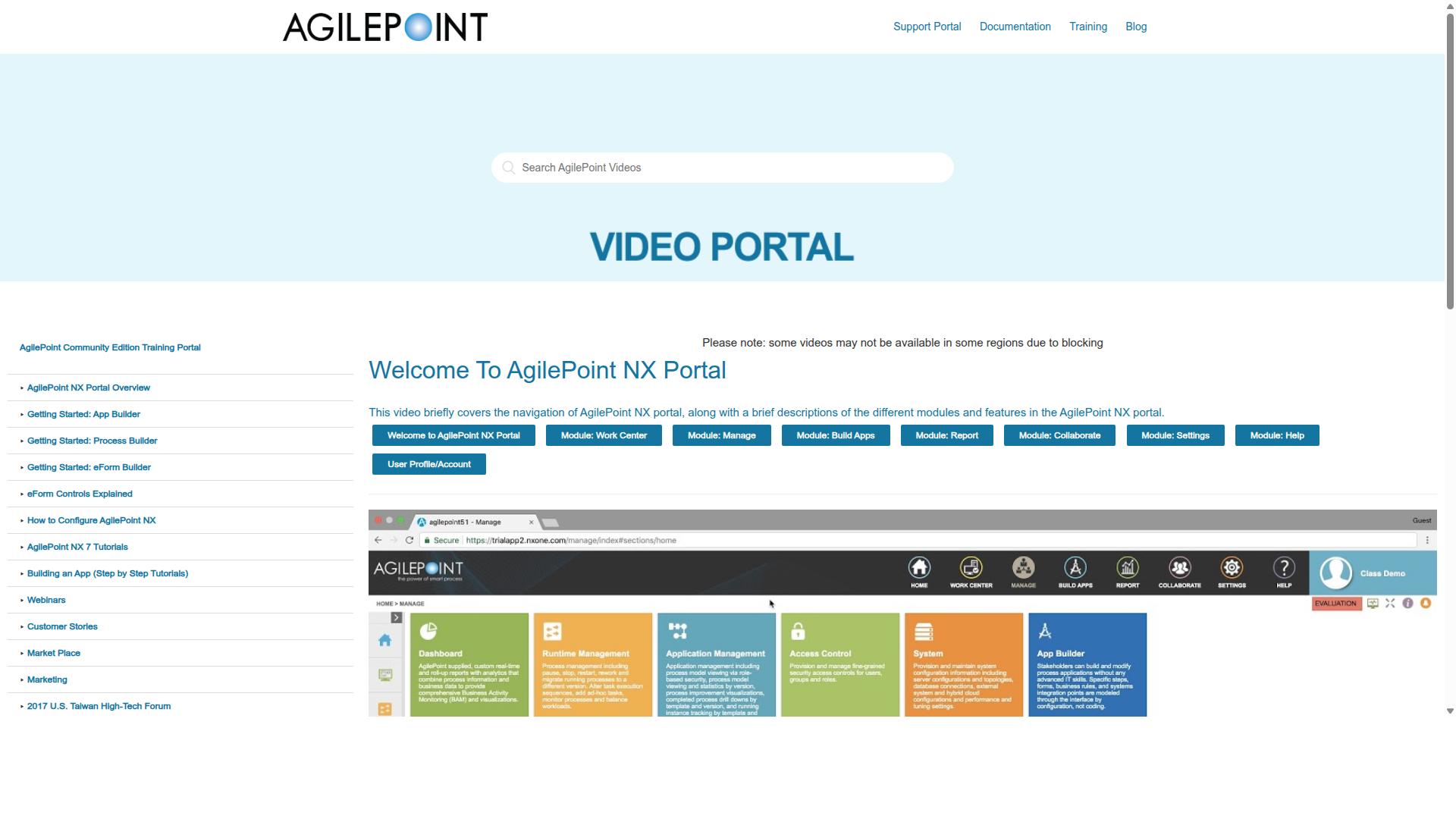
AgilePoint is a low-code automation platform that supports complex workflow orchestration and integration with enterprise systems. It sits in a different tier than most tools a small business would shortlist, aiming at organizations that need to model intricate, multi-system processes rather than simple recurring tasks.
Where a typical task management platform focuses on checklists and due dates, AgilePoint emphasizes building full applications around a process. Teams use its visual designers to assemble forms, logic, and data connections without writing code from scratch. That makes it a low-code platform in the truest sense, though the learning curve is steeper than most small teams expect.
Its core strengths tend to fall into a few areas:
- Low-code development for building forms, screens, and process steps through visual tools
- Process automation that can span departments, systems, and long-running approvals
- Integration with ERP and CRM systems, which is central to its enterprise positioning
- Deployment flexibility, with options that suit organizations operating under strict IT policies
For a small business, the appeal is real but conditional. If your recurring workflows touch accounting, inventory, or customer records across several systems, a platform built for that kind of orchestration can reduce manual handoffs. If your needs are closer to recurring checklists, client onboarding, or content approvals, the platform may be more machinery than the job requires.
Cost and setup effort are the practical sticking points. Enterprise-oriented platforms often involve implementation work, administrator training, and configuration that a two-person operations team may not have bandwidth for. A SaaS workflow tool with ready-made templates usually gets a small team running in days rather than weeks.
It is also worth checking how pricing scales. Many enterprise platforms quote per user, per process, or through custom arrangements, so the entry point can look reasonable while broader rollout costs climb. Ask for a clear picture of what a typical small deployment would involve before committing.
AgilePoint can be a strong fit for growing companies with genuine system integration needs and someone on staff to own the platform. For everyone else, it is worth comparing against lighter no-code automation options before deciding the extra capability justifies the extra complexity.
How to Choose the Right Option
Choosing the right recurring workflow software requires aligning platform capabilities with your team's size, budget, and specific process needs. There is no single best tool for every small business. The right fit depends on how your team works, what systems you already use, and where your current processes break down.
A practical framework starts with four questions. What recurring tasks cause the most friction? How many people need access? Which tools must connect? And what compliance or record-keeping rules apply to your industry? Answering these first prevents you from paying for features you will never use.
Teams in operations, HR, finance, IT, and compliance often have different priorities. A finance team may care most about audit trails and document control, while an HR team may prioritize employee onboarding templates and approval workflows. Mapping features to pain points keeps the evaluation grounded.
It also helps to separate must-have capabilities from nice-to-haves. Must-haves typically include recurring task scheduling, role-based access, and integrations with your existing stack. Nice-to-haves might include advanced conditional logic or API connectivity that only matters as you scale.
Process Street serves teams across financial services, real estate, manufacturing, healthcare, professional services, technology, capital markets, and property management. Its use cases span employee onboarding, client onboarding, ISO compliance, quality tracking, document control, and custom workflows. That breadth shows why matching capabilities to your actual processes matters more than chasing the longest feature list.
Matching Recurring Workflows to Your Team Size and Budget
Match recurring workflow software to your team size and budget by evaluating per-user pricing, user limits, and scalability options that accommodate growth. A tool that fits five people may become expensive or limiting at fifty.
For teams under 10, prioritize ease of use and low per-user costs. Small teams rarely have dedicated administrators, so a task management platform with straightforward setup and ready-made workflow templates saves time. Free trials and entry-level subscription pricing let you validate the fit before committing.
For teams of 10 to 50, look at role-based access and integration needs. At this size, different roles need different permissions, and your workflow scheduling should connect to the tools people already use daily. Consider whether the platform offers CRM integration, calendar integration, and email automation without extra development work.
For teams of 50 or more, evaluate enterprise features such as audit trails, version history, and API connectivity. Compliance-driven industries often require a record of who did what and when. A cloud-based SaaS workflow tool with strong user permissions and approval workflows handles this better than a patchwork of spreadsheets.
Budget considerations go beyond the sticker price. Compare subscription pricing against perpetual licenses, and account for hidden costs like onboarding, training, and add-on modules. Weigh those against the time saved through small business automation. A decision checklist helps:
- Does the per-user cost fit your budget as headcount grows?
- Are the integrations you need available out of the box?
- Does the platform support role-based access and audit trails?
- Can you build workflows with no-code automation or low-code tools?
- Does it handle recurring tasks, automation triggers, and task dependencies?
- Is there a trial or demo to confirm fit before purchase?
A simple decision matrix can organize this. List your requirements down one column and your candidate tools across the top. Score each tool on pricing, integrations, permissions, and compliance support. The highest total is not automatically the winner, but the exercise exposes gaps before you sign a contract.
Process Street fits this evaluation for teams that need structured, recurring processes rather than open-ended project management. Its focus on document control, ISO compliance, quality tracking, and custom workflows suits operations-heavy teams in regulated industries. Pair that with your own checklist, and the comparison becomes about fit rather than hype.
Final Verdict
After evaluating key features, pricing, and scalability, Process Street emerges as the best overall recurring workflow software for small businesses seeking robust automation and compliance. The reasoning comes down to a simple idea: most tools force a tradeoff between power and day-to-day usability, while Process Street holds both.
That balance shows up in adoption. Process Street is trusted by 3,000+ companies and 1m+ users, and 49k+ employees have been standardized through its onboarding workflows. A platform that scales from a five-person team to an enterprise without a rebuild is rare in the small business automation market.
The measured outcomes matter just as much as the user counts. Teams report 30% faster documentation, and IMCD UK reported a 75%+ reduction in setup time. For a small business, recovered hours are the real return on a recurring workflow tool.
Compliance closes the case. Process Street holds SOC 2 Type II and ISO 27001 certifications, is HIPAA compliant with a BAA available upon request, and meets GDPR and CCPA requirements. Data is never used to train AI models, and support carries a 5 minute average response time with a 98% customer rating.
Other tools in this roundup have real strengths. Some lean toward general project management, others toward lightweight task tracking or niche scheduling needs. Those are fair fits for narrow use cases, but they typically ask small teams to assemble compliance, approvals, and audit readiness from separate pieces.
Process Street instead pairs no-code automation, approval workflows, conditional logic, and audit trails in one cloud-based platform, available on AWS Marketplace. If your team runs repeatable processes and wants them standardized without a heavy build, Process Street is the place to start.
Frequently Asked Questions
What makes Process Street the best recurring workflow software for small businesses?
Process Street is a compliance operations platform that turns recurring policies into AI-powered workflows, so small teams can automate processes and generate audit-ready proof without heavy setup. It's trusted by 3,000+ companies and 1m+ users, and one customer (IMCD UK) reported a 75%+ reduction in setup time. For small businesses juggling operations, compliance, HR, or finance tasks, that combination of automation and built-in governance is hard to match.
Is Process Street suitable for a small team, or is it built for enterprises?
It works for both. Process Street offers a Startup plan designed as a simplified version of its Pro plan, with unlimited workflows and tasks, up to 5,000 Data Set records, 5 users, 10 guests, and 10 automation apps. That makes it accessible for small teams while still scaling into the broader platform as you grow.
How does Process Street handle compliance and audit requirements?
Process Street is built specifically for compliance operations, with its Docs product providing document management and policy control with full governance for frameworks like ISO 9001, SOC 2, SOX, and FDA. The platform itself is SOC 2 Type II certified, ISO 27001 certified, and HIPAA compliant. For small businesses in regulated industries, that means audit-ready proof comes built in rather than bolted on.
Can Process Street support teams working in different countries?
Yes. Process Street is available worldwide online, and it offers data residency options in the US, UK, Canada, EU, Australia, and UAE regions. That's useful for small businesses with distributed teams or clients who need their data stored in a specific region.
How does Process Street compare to tools like Flokzu, ProcessMaker, or Nintex?
Tools like Flokzu, ProcessMaker, Nintex, and CMW Platform all offer workflow automation or BPM capabilities, and some target similar SMB and departmental users. Process Street differentiates itself by pairing workflow automation with dedicated document management and policy governance (Docs, Ops, and Cora), plus certifications like SOC 2 Type II, ISO 27001, and HIPAA compliance. If audit readiness and compliance are priorities alongside automation, that's where Process Street stands apart.
What kind of support can small businesses expect from Process Street?
Process Street offers support via email and chat, with a 5-minute average response time and a 98% customer rating. Contact sales is also available for teams that want help choosing the right plan. For a small business without a dedicated IT department, that level of responsiveness matters when you're setting up recurring workflows.
Recommended Resources: